Dental Scheduling Software Setup Guide: A Clear, Step-by-Step Path to a Smooth Launch (8 Practical Steps)
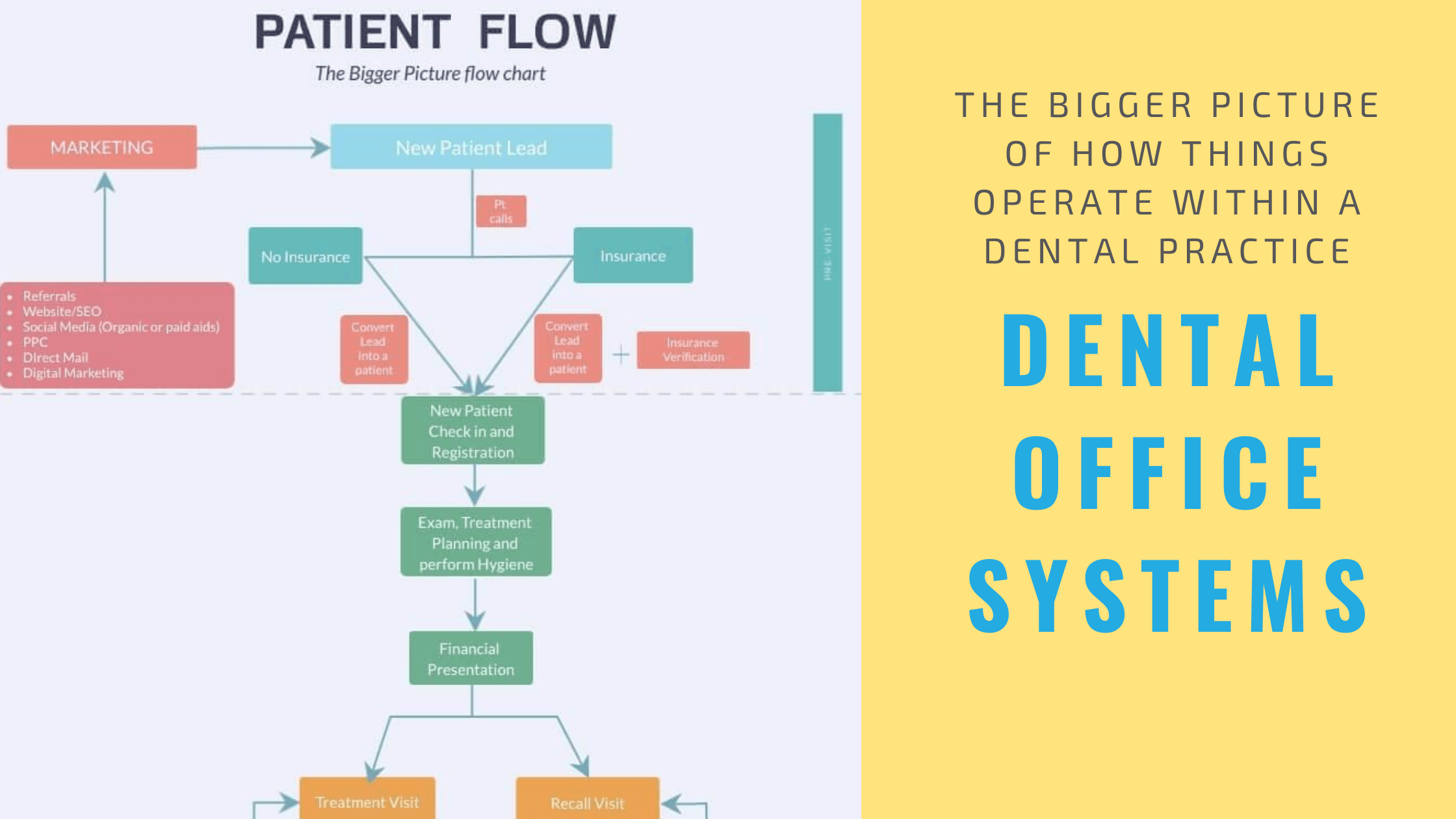
What Is a Dental Scheduling Software Setup Guide?
A dental scheduling software setup guide is a structured approach to configuring scheduling software so it matches a clinic's real-world operations. It covers everything from setting clinic hours to testing appointment workflows before patients begin booking. This guide plays a pivotal role in enhancing practice management, especially in the dynamic field of dentistry.
Dental software setup is not just a technical task—it's an operational process that encompasses careful planning and execution. A thoughtful setup ensures schedules stay accurate, staff remain aligned, and patients experience smooth booking from day one. Proper guidance can transform the way a dental clinic operates, ultimately affecting patient satisfaction and staff productivity.
Why Proper Setup Matters for Dental Clinics
Risks of Poor Dental Software Setup
Skipping steps or rushing through the setup process can lead to significant complications, such as:
- Double bookings, which frustrate both patients and staff.
- Incorrect appointment lengths, potentially causing overextended visits or rushed services.
- Provider availability errors, which can lead to appointment cancellations.
- Staff confusion and frustration, as a poorly organized system can create chaos at the front desk.
These issues often appear immediately after launch and can disrupt daily operations, leading to an overall negative impact on the clinic's reputation.
Benefits of a Structured Setup Process
Following a dental scheduling software setup guide helps clinics:
- Launch with confidence by ensuring every aspect is thoroughly tested.
- Reduce scheduling errors that can lead to inefficiencies.
- Improve staff adoption of the new system, as everyone understands their role within the setup.
- Deliver a better patient experience, enhancing loyalty and satisfaction.
A strong setup creates a reliable foundation for long-term success, allowing clinics to focus on what really matters—providing exceptional patient care.
Preparing for Dental Scheduling Software Setup
Defining Clinic Scheduling Needs
Before setup begins, clinics should clearly define their scheduling needs:
- Appointment types and durations should be specified to streamline the booking process.
- Operating hours need to be well outlined to reflect the clinic's actual working times.
- Provider availability should be designated to prevent scheduling conflicts.
- Buffer times for emergencies are critical to accommodate unexpected patient needs.
These clear definitions make dental software setup faster and more accurate. Understanding dental scheduling software benefits for practices ahead of time helps clinics know what to configure, ensuring that the software is tailored to their specific operational requirements.
Organizing Staff Roles and Availability
Each staff member should have clearly defined roles and schedules. Knowing who can book, edit, or view appointments prevents confusion later on and enhances the overall efficiency of clinic operations. Empowering your staff to manage their own schedules can also lead to increased job satisfaction.
Step-by-Step Dental Scheduling Software Setup Guide
Step 1: Configure Clinic Hours and Appointment Types
Start by entering clinic operating hours and creating appointment categories, such as cleanings, consultations, or procedures. Each type should have a realistic time length assigned based on historical data and best practices.
Step 2: Set Provider Schedules and Rules
Assign availability for dentists, hygienists, and assistants, incorporating rules such as lunch breaks, days off, and multi-location availability. This configuration prevents double bookings and ensures that all staff members can adequately manage their time.
Step 3: Customize Booking and Reminder Settings
Decide how patients book appointments—whether online or by phone—and when reminders are sent out. These settings directly impact patient no-shows and reduce the front desk workload significantly. Consider implementing features like automated appointment scheduling for dental clinics to enhance efficiency.
Step 4: Test Scheduling Workflows
Before going live, run test bookings. Confirm that:
- Appointments appear correctly in the system.
- Conflicts are blocked effectively.
- Notifications function as expected and are being sent on schedule.
Testing is one of the most important steps in any dental scheduling software setup guide. Thorough testing helps identify and correct potential issues before real patients begin to book appointments, ensuring a seamless transition.
Training Staff During Dental Software Setup
Staff training should happen simultaneously with the software setup. Team members should practice booking, rescheduling, and canceling appointments in a controlled environment. Hands-on practice builds confidence and reduces errors after launch, increasing overall productivity. Regular feedback sessions can further enhance the learning experience.
Going Live With Dental Scheduling Software
Once setup and testing are complete, clinics can begin using the system with real patients. During the first few days, schedules should be monitored closely to catch small issues early before they escalate. A phased rollout—where different teams or locations switch to the new system gradually—can help staff adjust without feeling overwhelmed. Choosing the right best scheduling software for dentists makes this transition much smoother.
Common Setup Mistakes to Avoid
Several pitfalls can compromise the effectiveness of your scheduling software setup. Be wary of:
- Skipping workflow testing, which can lead to disastrous consequences post-launch.
- Using incorrect appointment lengths, causing scheduling issues down the line.
- Not involving front desk staff in the setup process, denying them the opportunity to provide crucial input.
- Ignoring feedback after launch, preventing continuous improvement.
Avoiding these mistakes makes dental software setup far more successful, ensuring that the system operates at its optimal capacity.
Tips for a Smooth Long-Term Setup
- Review schedules weekly during the first month to identify patterns and possible adjustments.
- Adjust appointment lengths as needed based on patient flow and outcomes.
- Document scheduling rules clearly to provide a reference that all staff can use.
- Encourage staff feedback to promote an ongoing dialogue about improvements and necessary changes.
Remember, setup is not a one-time event—it's an evolving process that should adapt as the clinic grows.
FAQs About Dental Scheduling Software Setup
- What is a dental scheduling software setup guide? It is a structured process for configuring scheduling software to match clinic workflows and needs.
- How long does dental software setup take? Setup time varies, but most clinics complete it within a few days, depending on their complexity.
- Is staff training necessary during setup? Yes, training is critical to ensure smooth adoption and minimize errors once the system is live.
- Should clinics test scheduling before going live? Absolutely. Testing is essential to prevent issues that could affect real patient bookings.
- Can setup mistakes affect patient experience? Yes, poor setup can lead to scheduling delays and confusion, ultimately hurting patient satisfaction.
- Can scheduling setup be adjusted after launch? Yes, settings can and should be refined as workflows improve, keeping them in line with the clinic's evolving needs.
Conclusion
A well-planned dental scheduling software setup guide helps clinics launch confidently and avoid common scheduling issues. By preparing carefully, testing workflows, and training staff, dental software setup becomes a smooth transition instead of a stressful change. With the right setup, clinics create reliable schedules, happier teams, and better patient experiences from day one. Practices on a budget can also find HIPAA compliant scheduling software for dentists that still offers robust setup options, ensuring that even smaller operations can benefit from streamlined scheduling. To optimize management practices, refer to resources on dental clinic calendar management for further insights. Embrace the future of dental scheduling by exploring self-scheduling options to empower patients and optimize your practice's efficiency.
Ultimately, effective scheduling software not only enhances operational efficiency but also positions clinics for growth and improved patient satisfaction, making it an indispensable tool in today’s dental landscape.